
Flight updates help identify delays and cancellations affecting transfers.
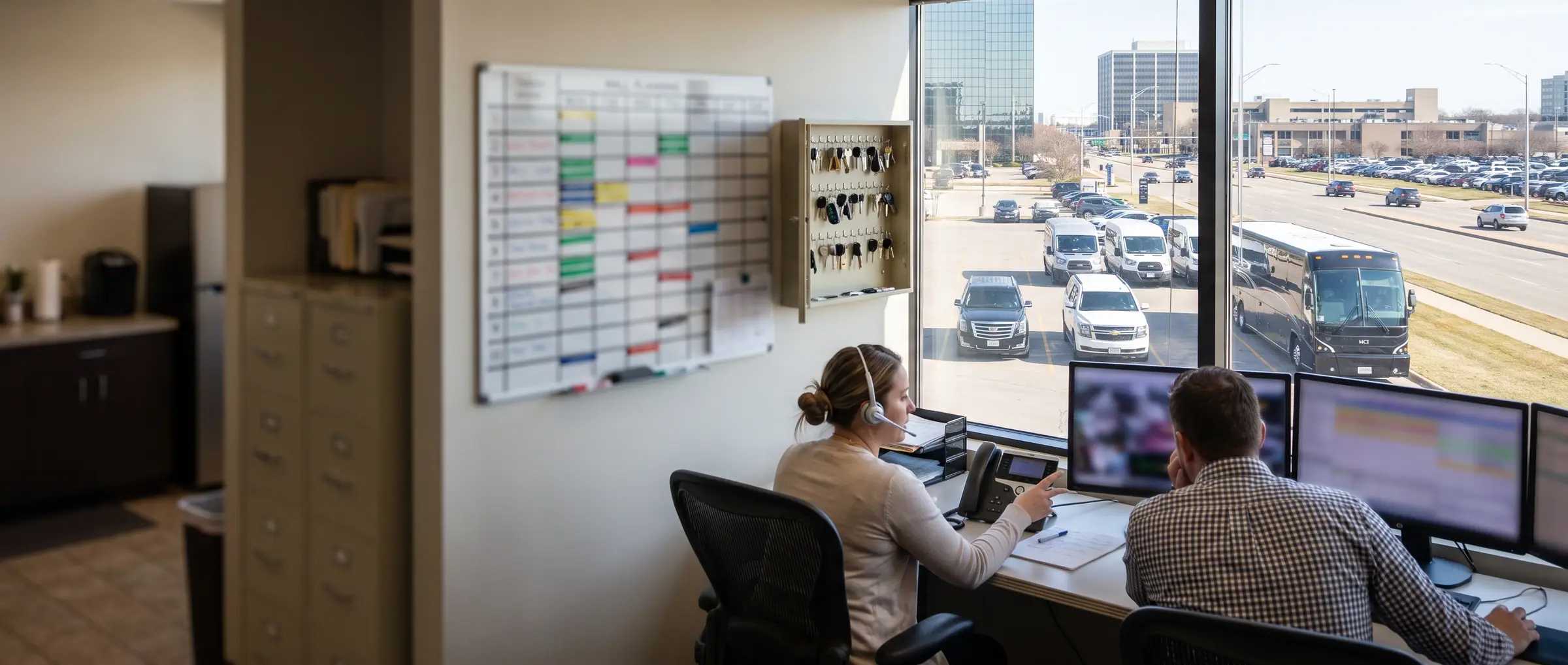
Logipax · Dispatch and dispatch
A day of transport is constantly changing. A delay, a sick day, a last-minute request. The Logipax schedule is built to absorb those changes without you having to redo everything.
14 days free · No payment card · No setup fee
Integrations
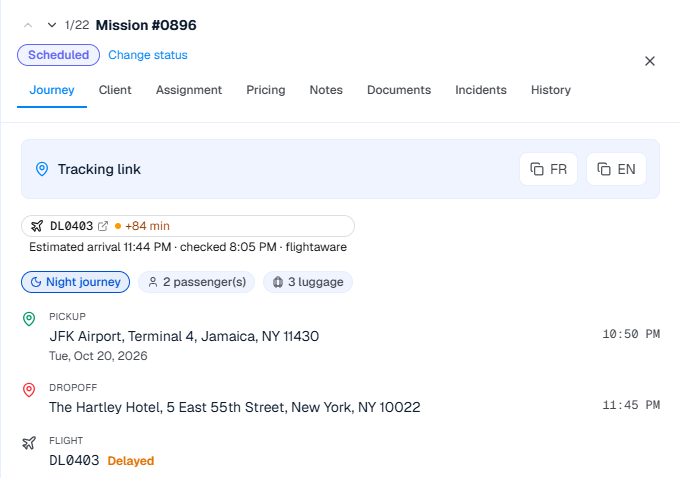
Follow arrivals that matter to your transfers and adjust pickups with your team.
Flight updates help identify delays and cancellations affecting transfers.

 via Amtraker
Amtraker data for Amtrak and VIA Rail train tracking.
Flight and train tracking is included with Business, Enterprise, Corporate and Scale.
Dispatch
Same trips, same filters. Switch view depending on what you are looking for.
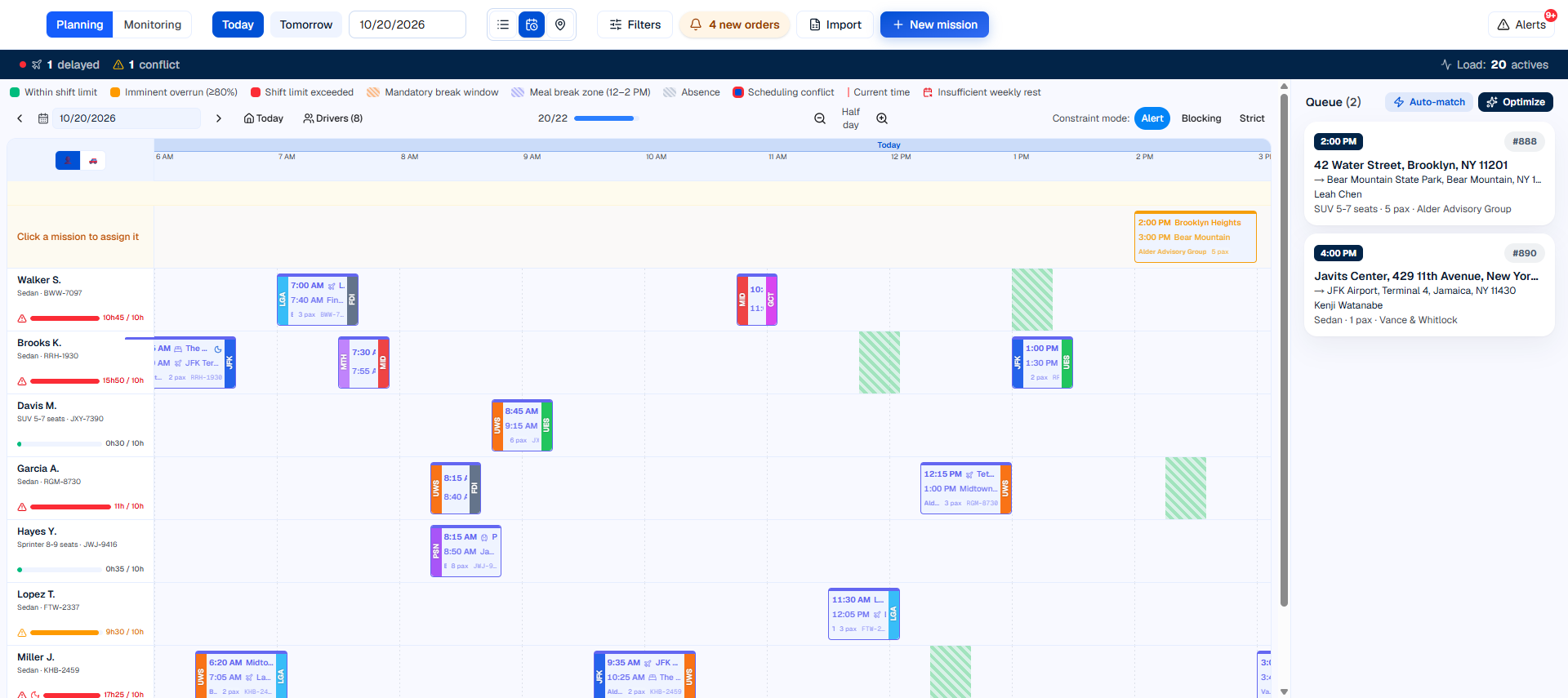
Your trips laid out across the day. Gaps and overlaps stand out, and a trip is reassigned by dragging it from one driver to another.
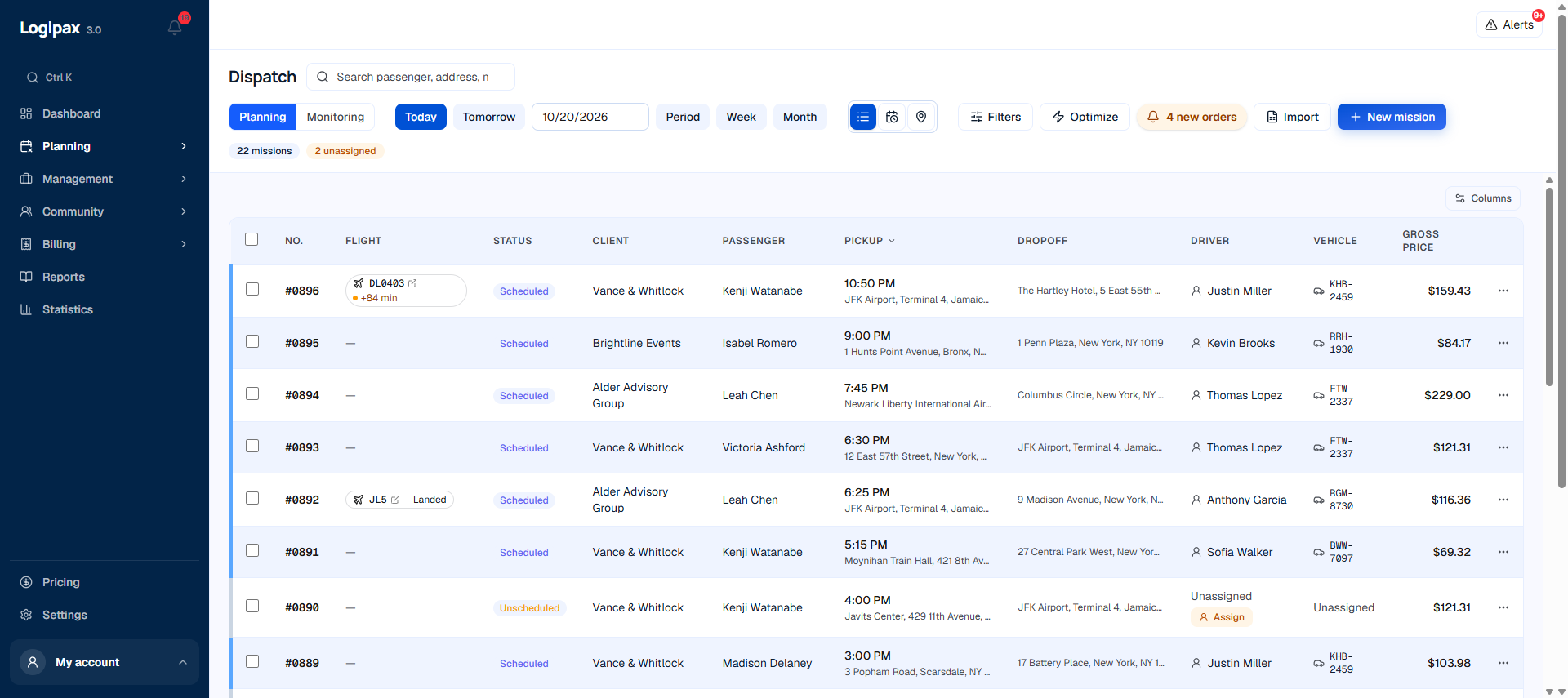
Status, customer, passenger, addresses, driver, vehicle, price: sort, filter and handle several trips at once.
Your day, made simpler
“Where is my driver?” The map shows everyone’s position, their status, the pickup point and the trip under way. You can answer without making a call. Available, on-trip and unavailable drivers can be told apart at a glance, your subcontractors included.
Your day, made simpler
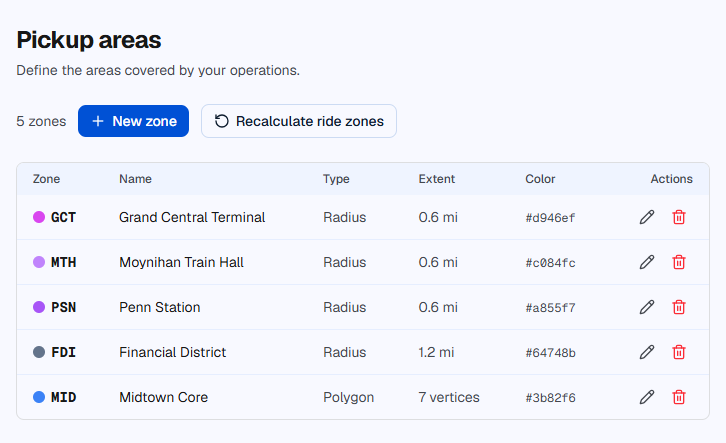
Airports, stations, business districts: you divide your territory into zones and attach what goes with them, prices, surcharges, authorized drivers. A trip from the airport into the city center is priced on its own, without anyone having to remember the rate card.
Your day, made simpler
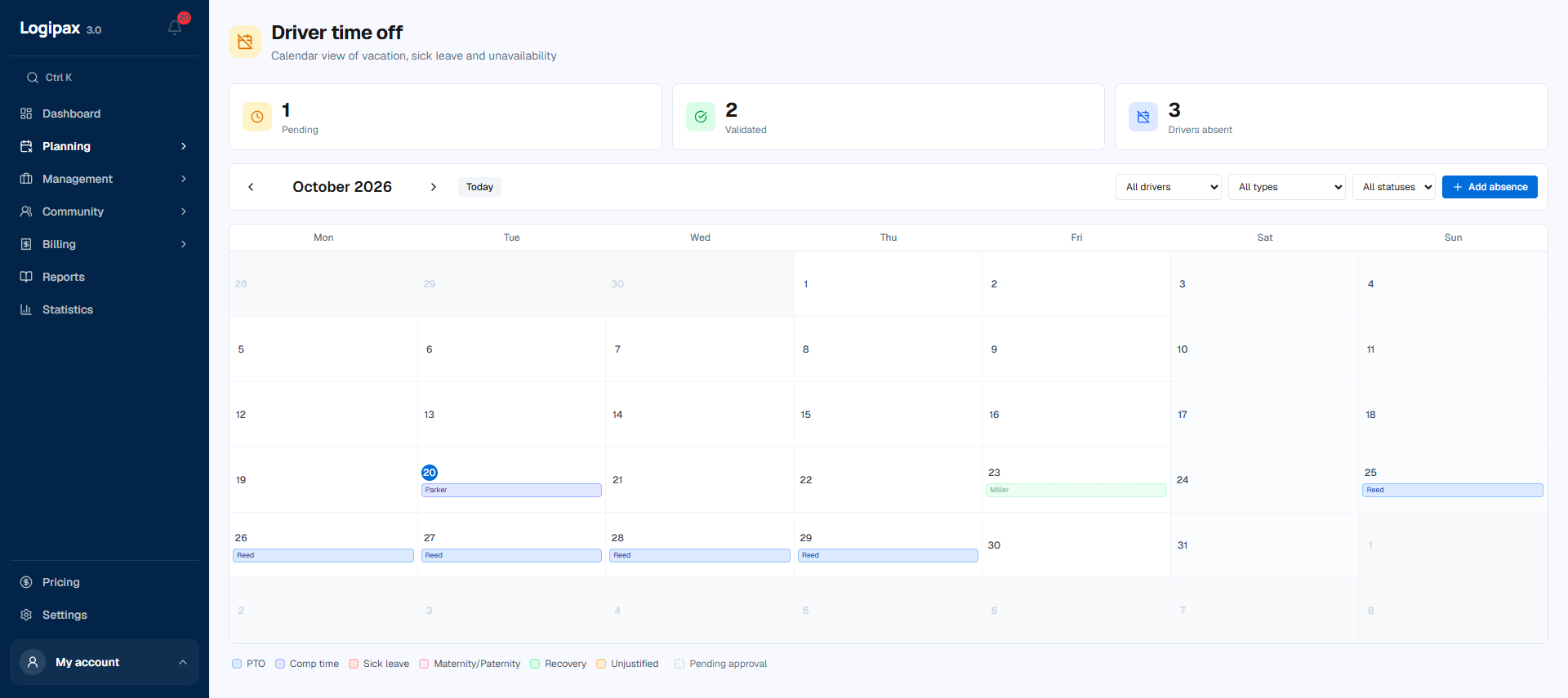
Leave, sick days, training, one-off unavailability: you enter them once and the schedule takes them into account. An absent driver is no longer offered to you for assignment, and you can see straight away the days when you will be short-staffed.
Your day, made simpler
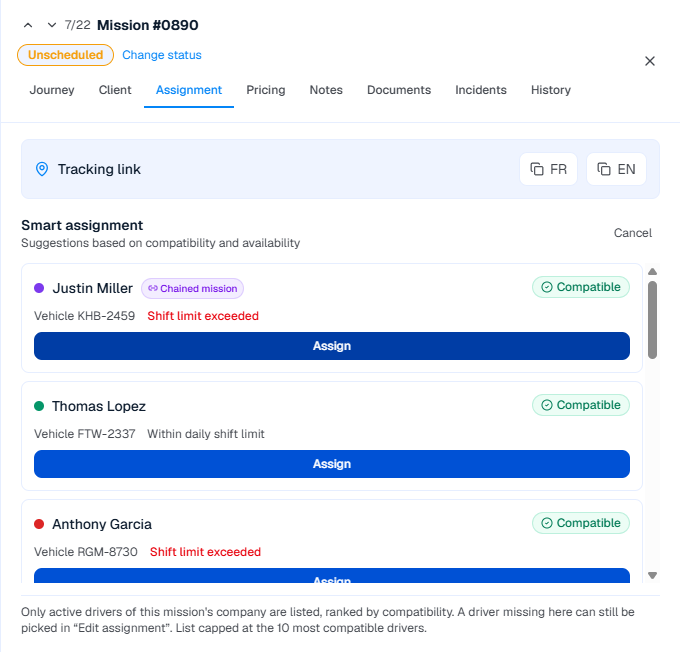
When you assign a trip to a driver, Logipax immediately checks four things: does it take them over their daily span, does it overlap with another trip, is the vehicle suitable for the passenger, do they have the skill required. If there is a problem, you see it at once. It is up to you whether to override it, unless you have chosen to make the alert blocking.
Your day, made simpler
Enter the flight or train linked to the trip. If it is delayed or canceled, Logipax alerts the dispatcher and the driver. Your team can adjust the pickup and keep the passenger informed, with the useful information in one place.
Your day, made simpler
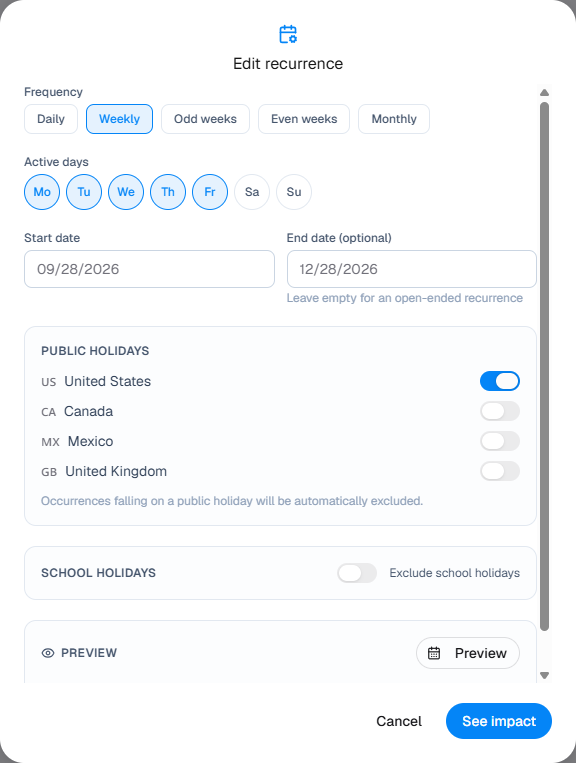
A school run from Monday to Friday is about 180 days of service a year, or about 360 outward and return trips. Dialysis three times a week is about 156 round trips. You describe the recurrence once, with its exceptions, holidays and public holidays. Logipax shows you what it is going to create before it creates it. After that, you can change one date without touching the others, or the whole series at once.
A plan for your business
Simple dispatch is included in the Starter plan. The full schedule, timeline, map, recurrences and alerts, is included from the Pro plan. Flight and train tracking is available from Business.
Compare plansThe question does not arise at the volume a passenger transportation business handles: the schedule is filtered by day, by branch and by group of drivers, so you never display everything at once. If your organization is out of the ordinary, tell us and we will look at your specific case.
It suggests an optimised arrangement, with the estimated saving in kilometres. You apply it or you ignore it. The algorithm proposes; it does not decide for you.
Yes, if you choose. By default they simply warn you, because an operator sometimes has good reasons to override them.
No. Each driver sees only their own trips, from the moment the schedule is approved.
Your next day starts here
Try it with your own trips, or discover Logipax with our team.
14 days free · No payment card · No setup fee