Payments on board
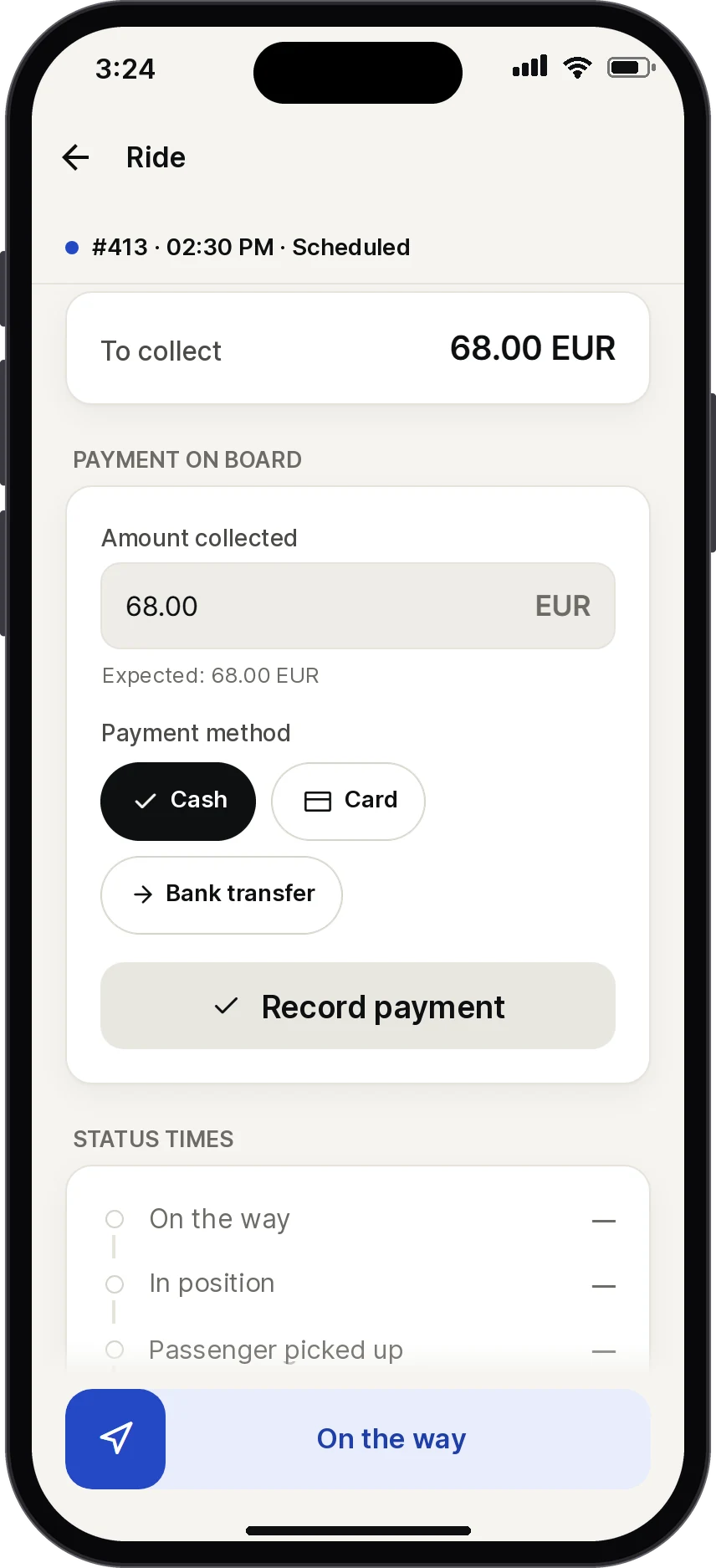
Cash, card or bank transfer: the amount and payment method are recorded on the trip and flow into invoicing.
Trips, status updates, roadside checks, vehicle checks, payments and duty time: everything your drivers need is one tap away. And you see it all come in live.
14 days free · No payment card · No setup fee
Before the trip
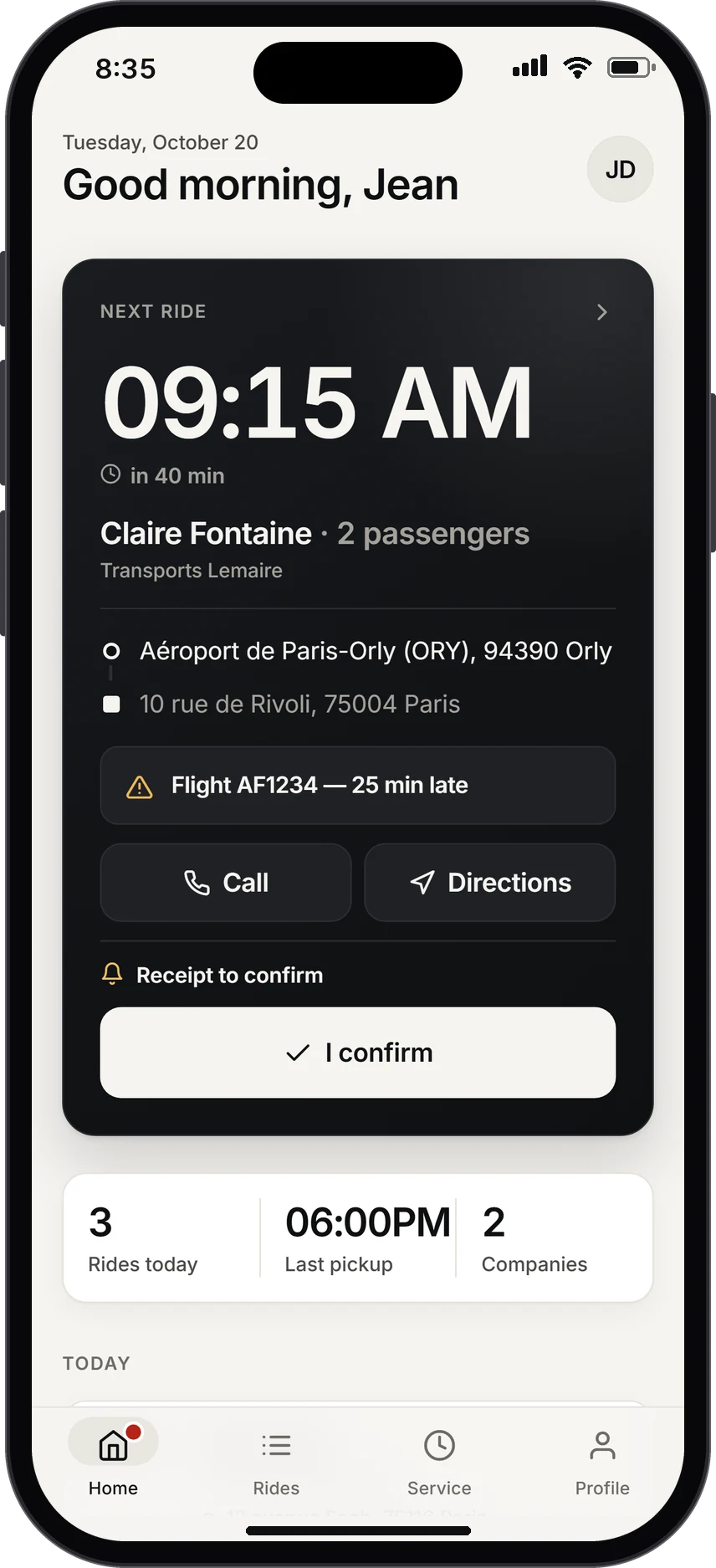
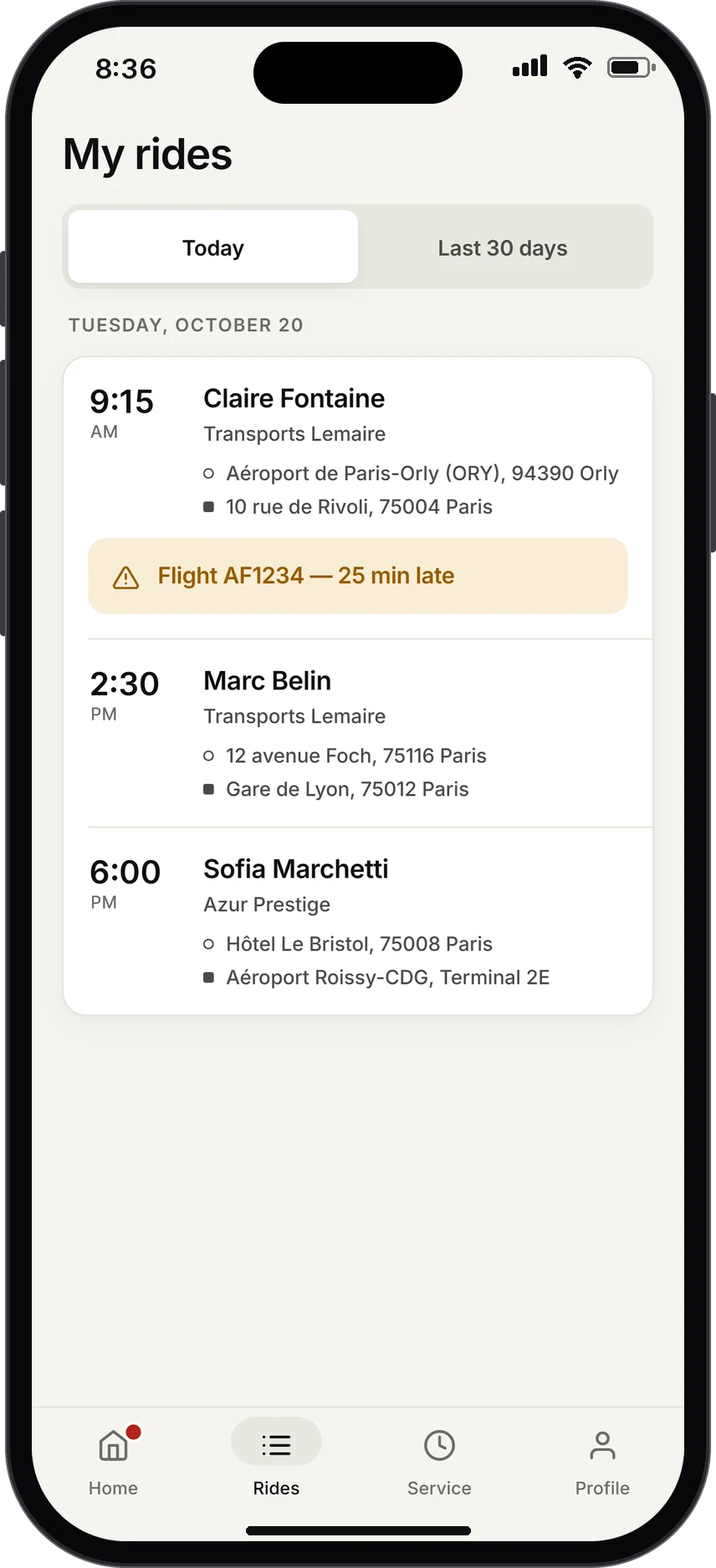
As soon as the app opens, the driver sees what matters, in large type: pickup time, time remaining, passenger and route. Flight running late? The alert is already there.
During the trip
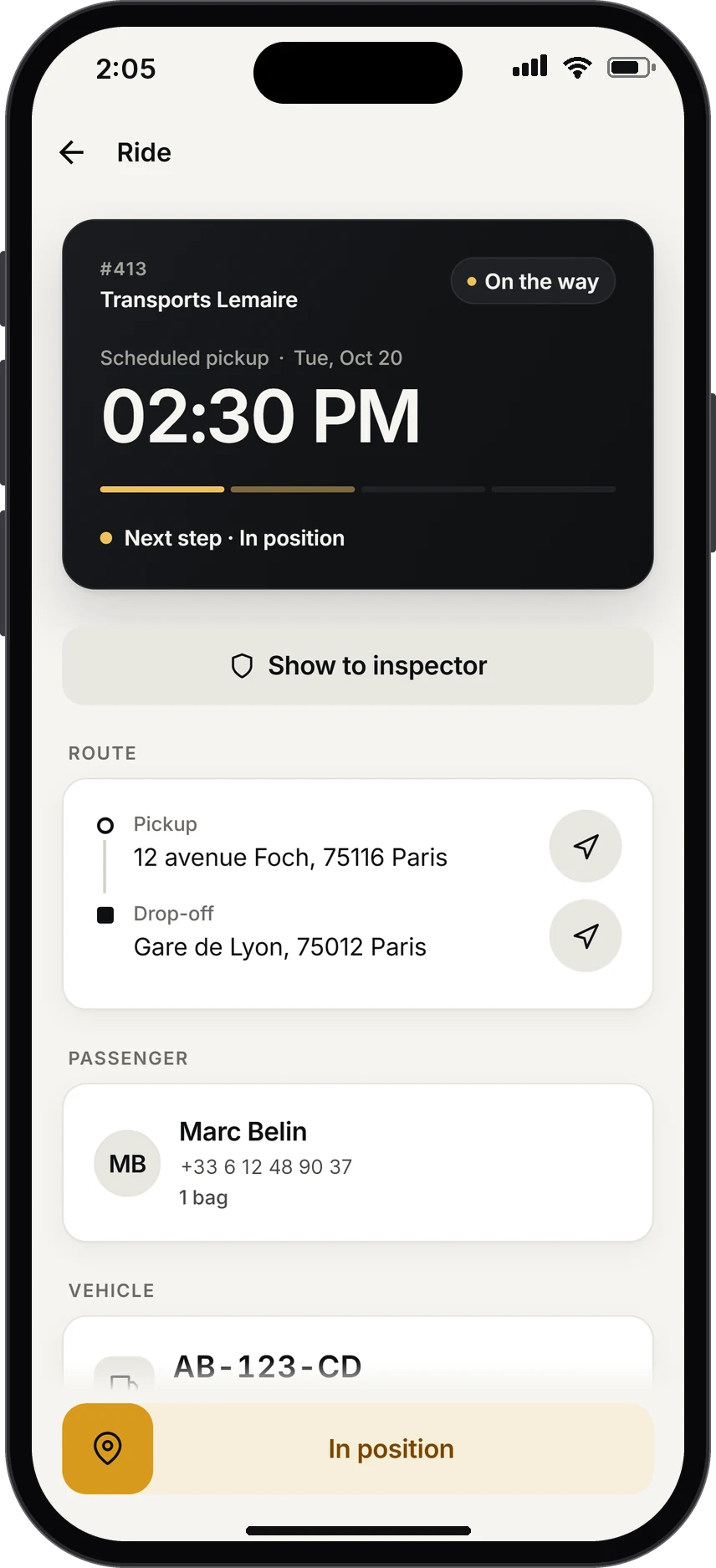
Each step is confirmed with a swipe. Every status update is time-stamped and geolocated, and your schedule updates straight away.
Roadside checks
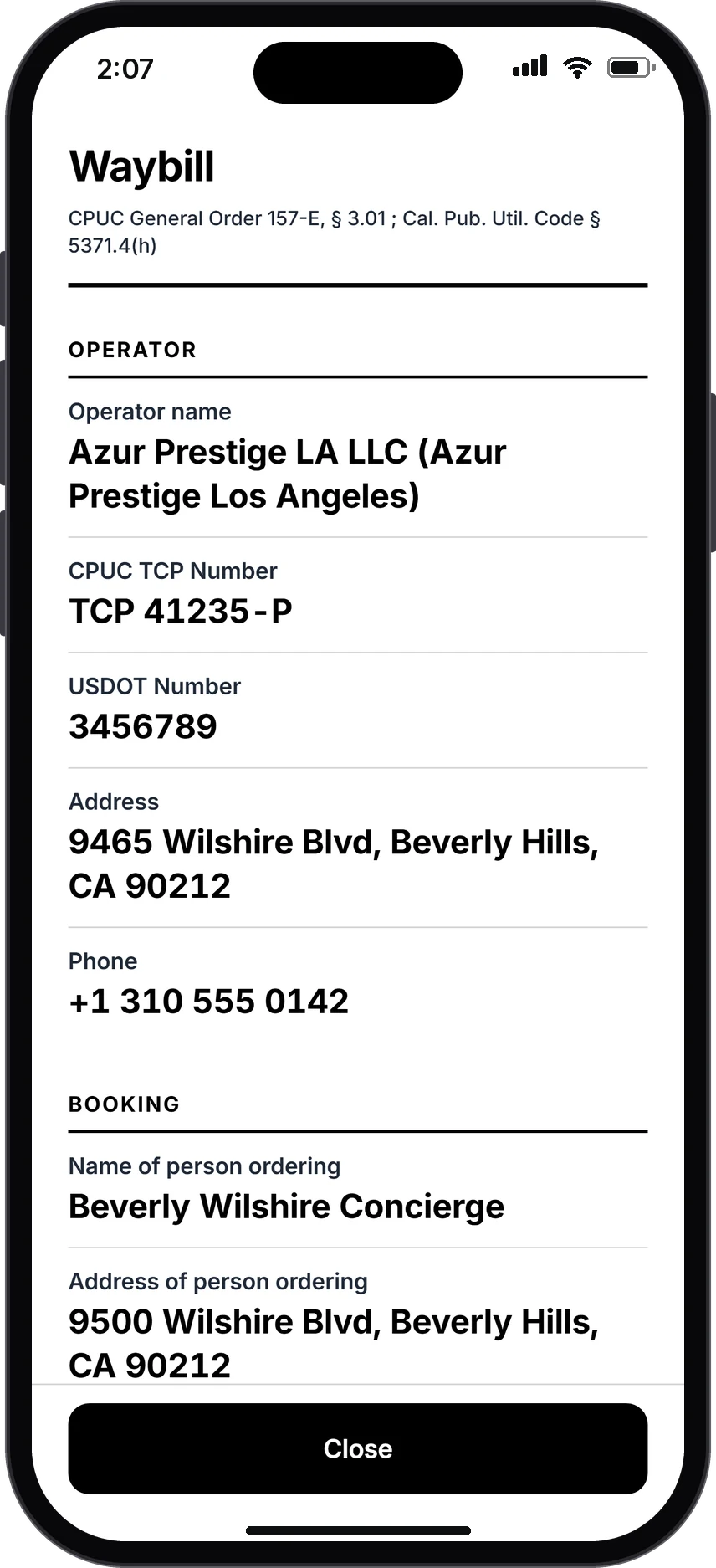
The driver taps “Show to inspector” and the trip’s booking record opens full screen, with the official details you are asked for. The officer reads it, the driver gets going again.
Before setting off
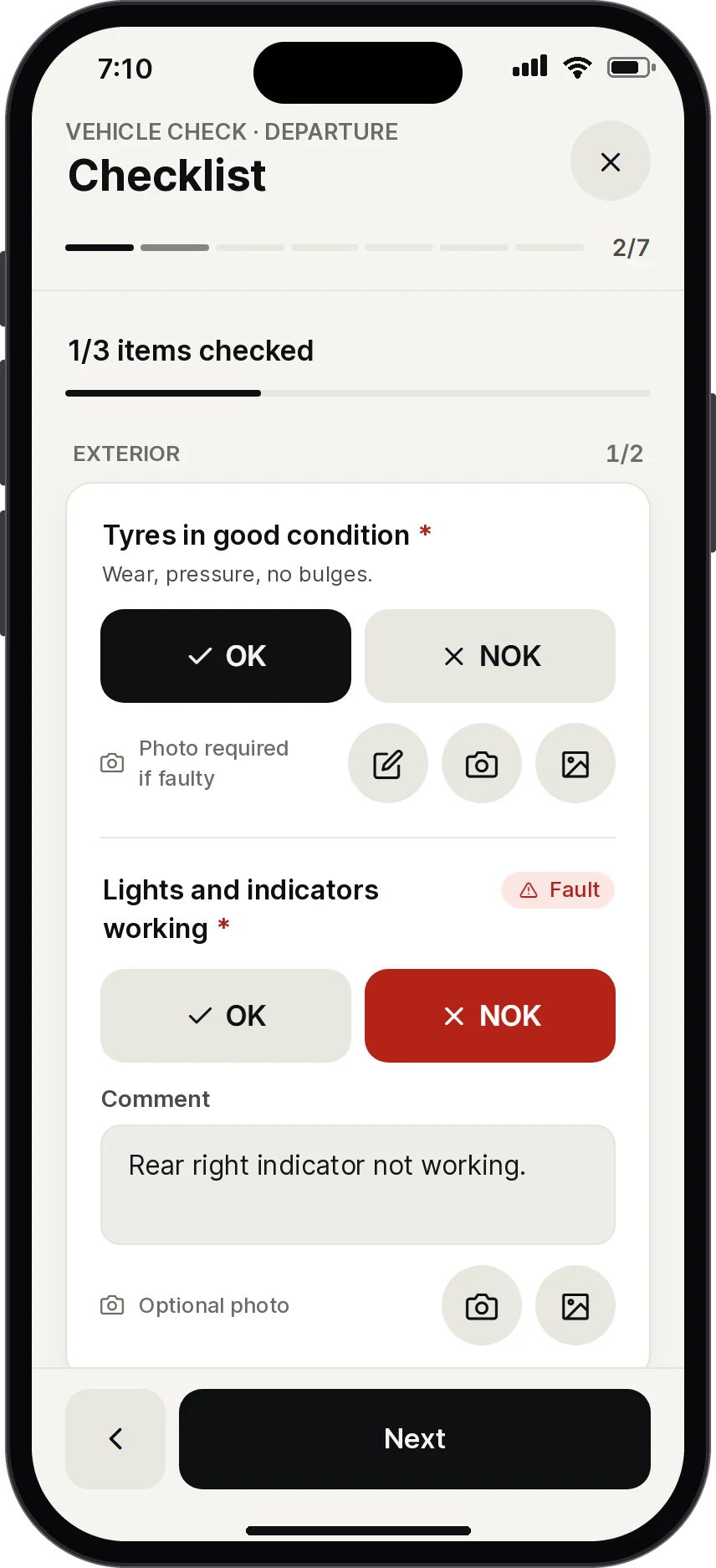
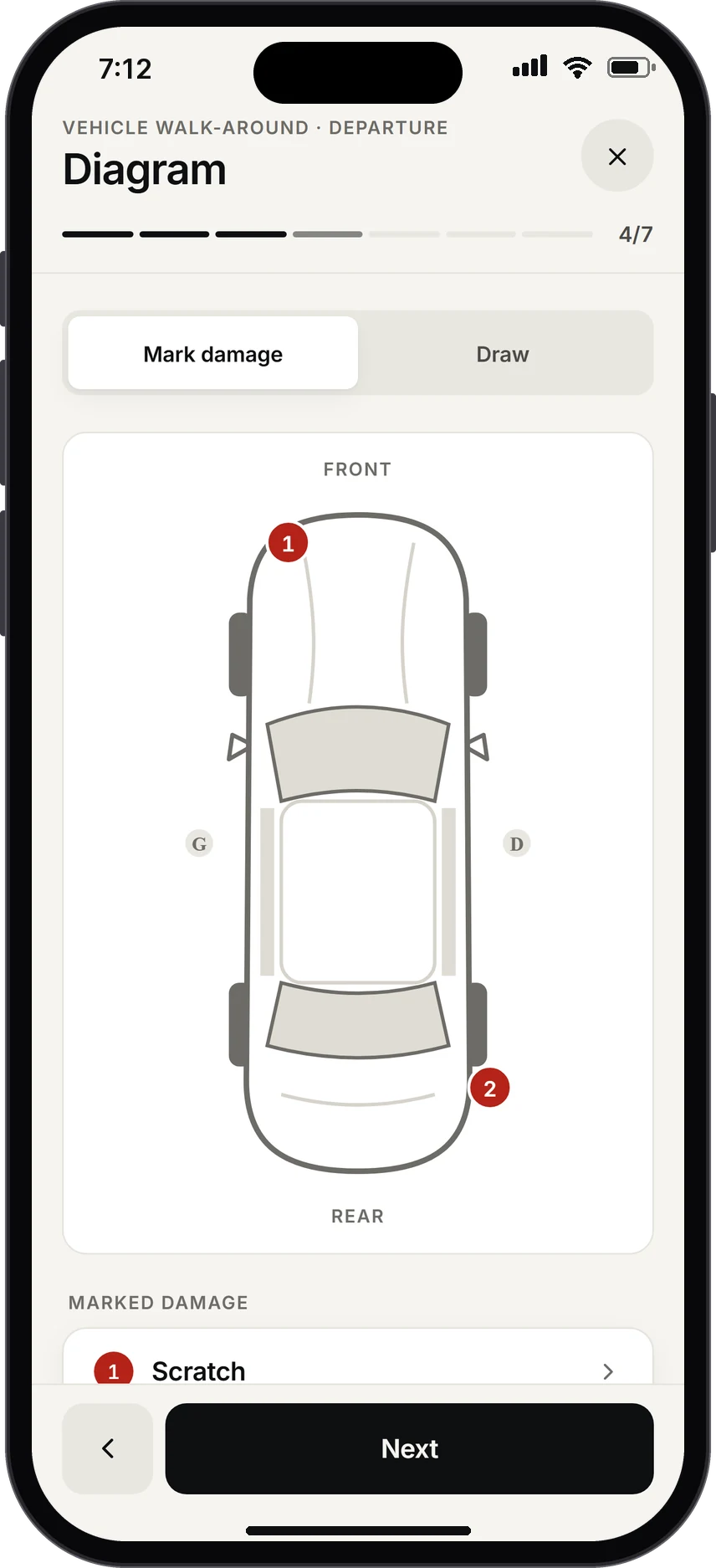
Mileage, fuel or charge level, a checklist set by your company, guided photos, damage pinpointed on a diagram of the car, signature. Damage already reported is shown, so everyone knows who found what, and when.
Seven steps
And everything else
What used to take phone calls, notebooks and spreadsheets now happens in the app.
Cash, card or bank transfer: the amount and payment method are recorded on the trip and flow into invoicing.
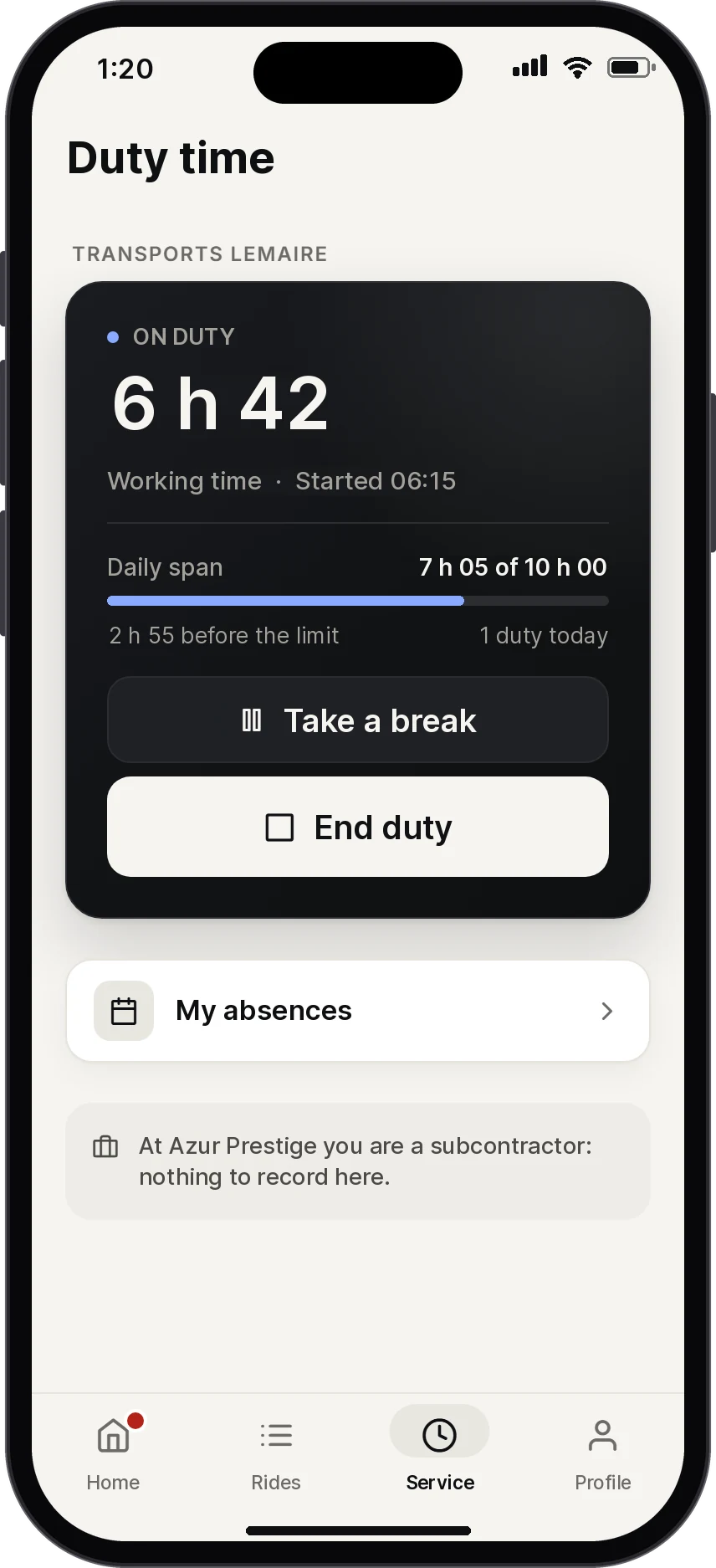
Start, breaks, end of duty. The daily span is calculated as the day goes on, with the time left before the limit.
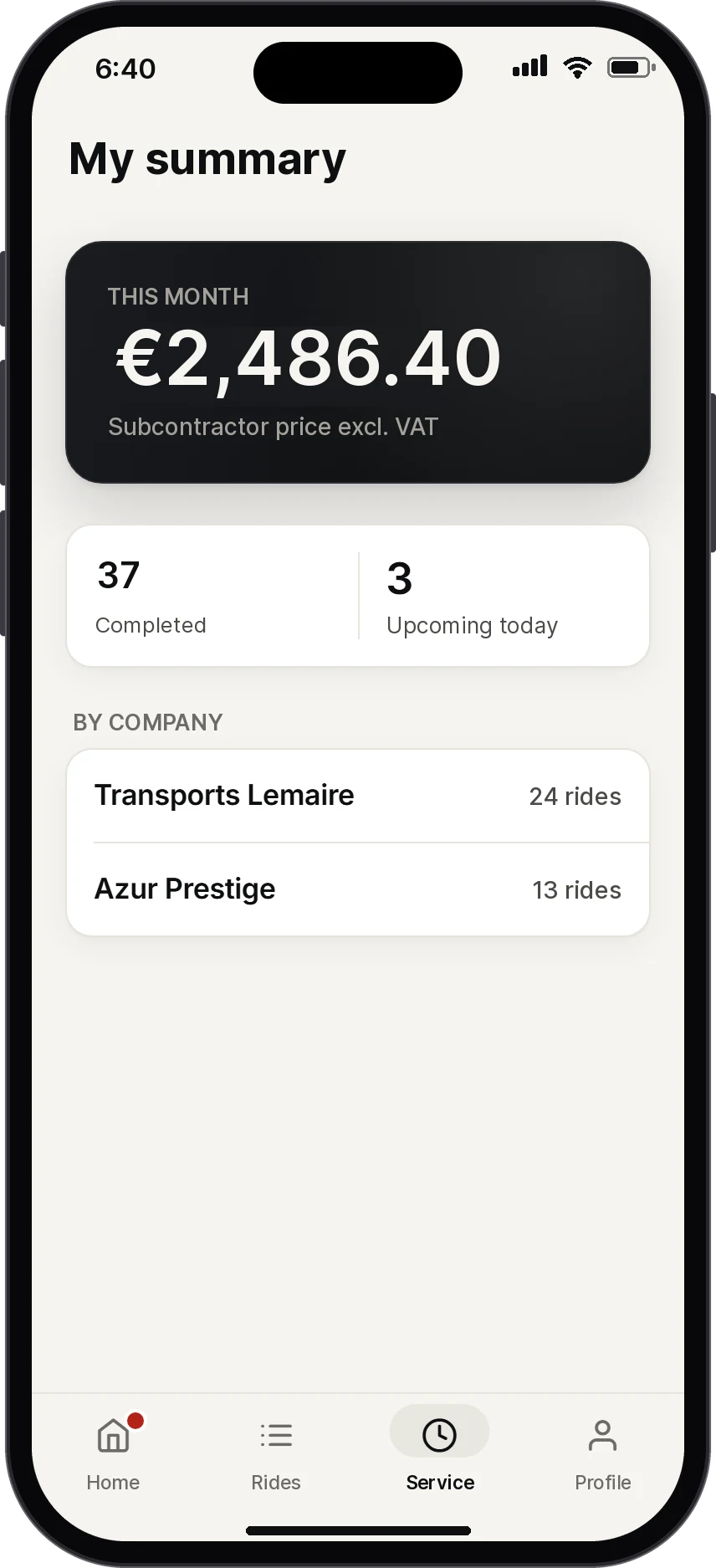
Your subcontracted drivers follow their month: completed trips, upcoming trips and the amount, excluding tax, that they will invoice you. Only the amounts you choose to show appear.
Leave or time off in lieu: the driver sends the request, you approve it, they see the answer.
Employed by you, subcontracting elsewhere: all their trips in one session.
Invite drivers with their email address. They sign in with a 6-digit code.
In the office
Confirmed receipts, status updates, delayed flights: your screen is current without a single call.
Completed trips and payments taken on board reach Logipax with no re-entry.
Time-stamped updates, signed vehicle checks and photos help you answer a customer if there is a dispute.
Availability
The app is included in every plan, with no limit on drivers. It runs on iPhone and Android, in English, French, Spanish and Portuguese.
Compare plansNo. No plan limits the number of users, drivers included.
You add their email address to their driver profile. They then sign in with that address and a 6-digit code sent by email. No password.
Mostly, yes. Drivers can view their trips and record status updates offline. Everything syncs as soon as the connection returns.
Yes. A subcontracted driver sees their trips and their summary, but not your internal data. If they work for several companies, all their trips appear in the same session.
Only if you allow it. Showing amounts is set user by user.
Equip your drivers
Try Logipax with your own trips: invite a driver by email and follow their first trip live.