
Skip to content
Where to start / Shuttles and regular services

Logipax · Shuttles and regular services

Corporate shuttles

Arrange departures and shift changes around each client’s needs. Keep times, vehicles and contacts together.

14 days free · No payment card · No setup fee

Inside your operation

A recurring service with room for exceptions

Employee transport and regular shuttles need a repeatable schedule that can still adapt to individual days.

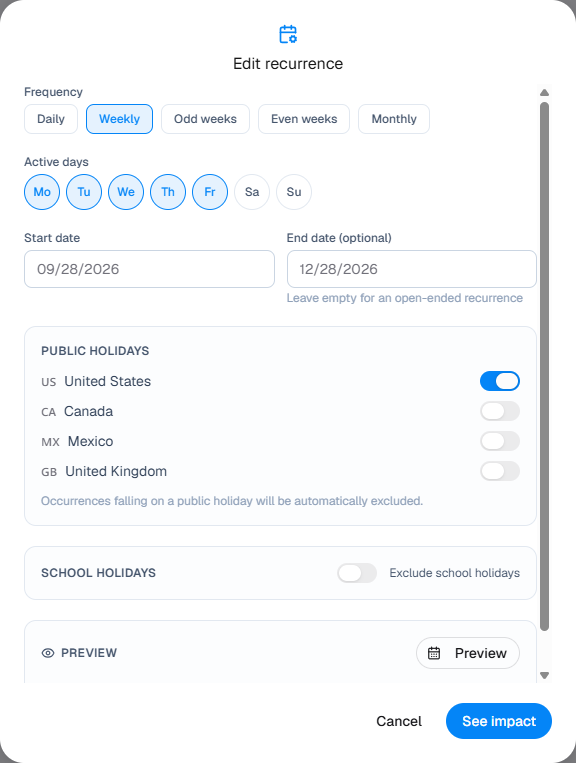
  1. 01Build the recurring series once
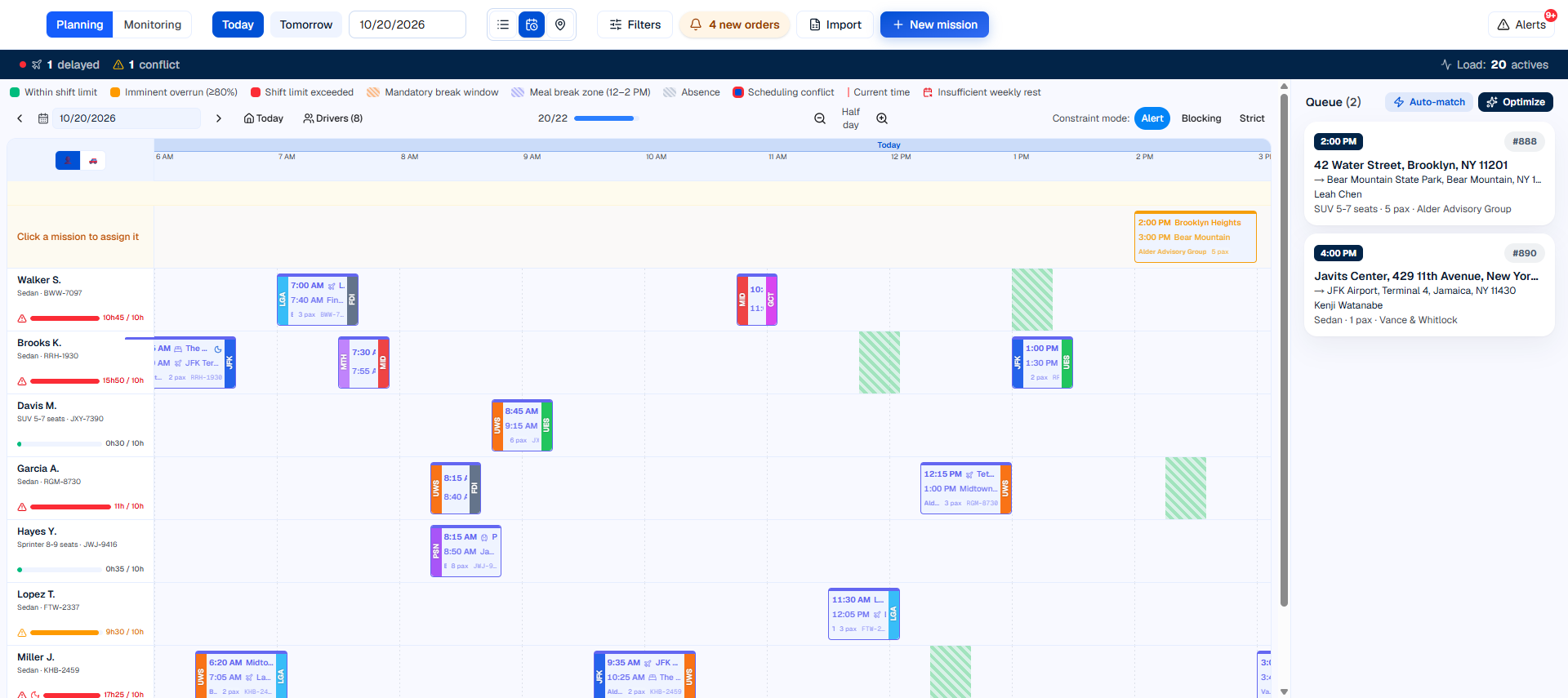
  2. 02Assign resources and keep changes together
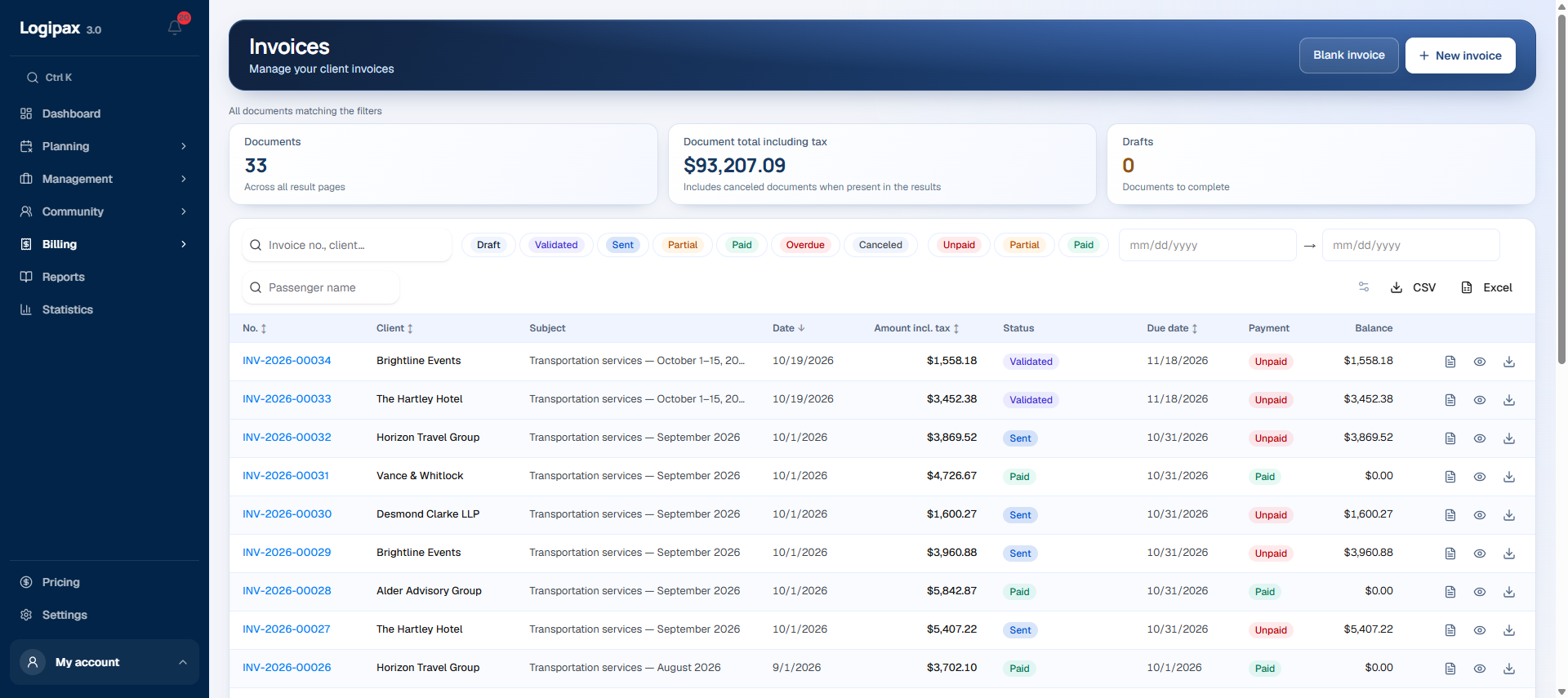
  3. 03Compare completed services with the contract

Inside your operation · 01

Build the recurring series once

Set frequency, active days and the service period. Exclude holidays or school breaks according to the selected settings, then review the series before confirming it.

See how it works
Build the recurring series once

Inside your operation · 02

Assign resources and keep changes together

Review rotations in the shared schedule alongside absences, vehicles and timing. Drivers receive their validated trips with pickup points and operational contacts.

See how it works
Assign resources and keep changes together

Inside your operation · 03

Compare completed services with the contract

Bring the customer’s services together and identify extra rotations. Prepare billing from agreed conditions and recorded trips instead of reconstructing the month from scattered messages.

See how it works
Compare completed services with the contract

Driver app

The next trip comes first.

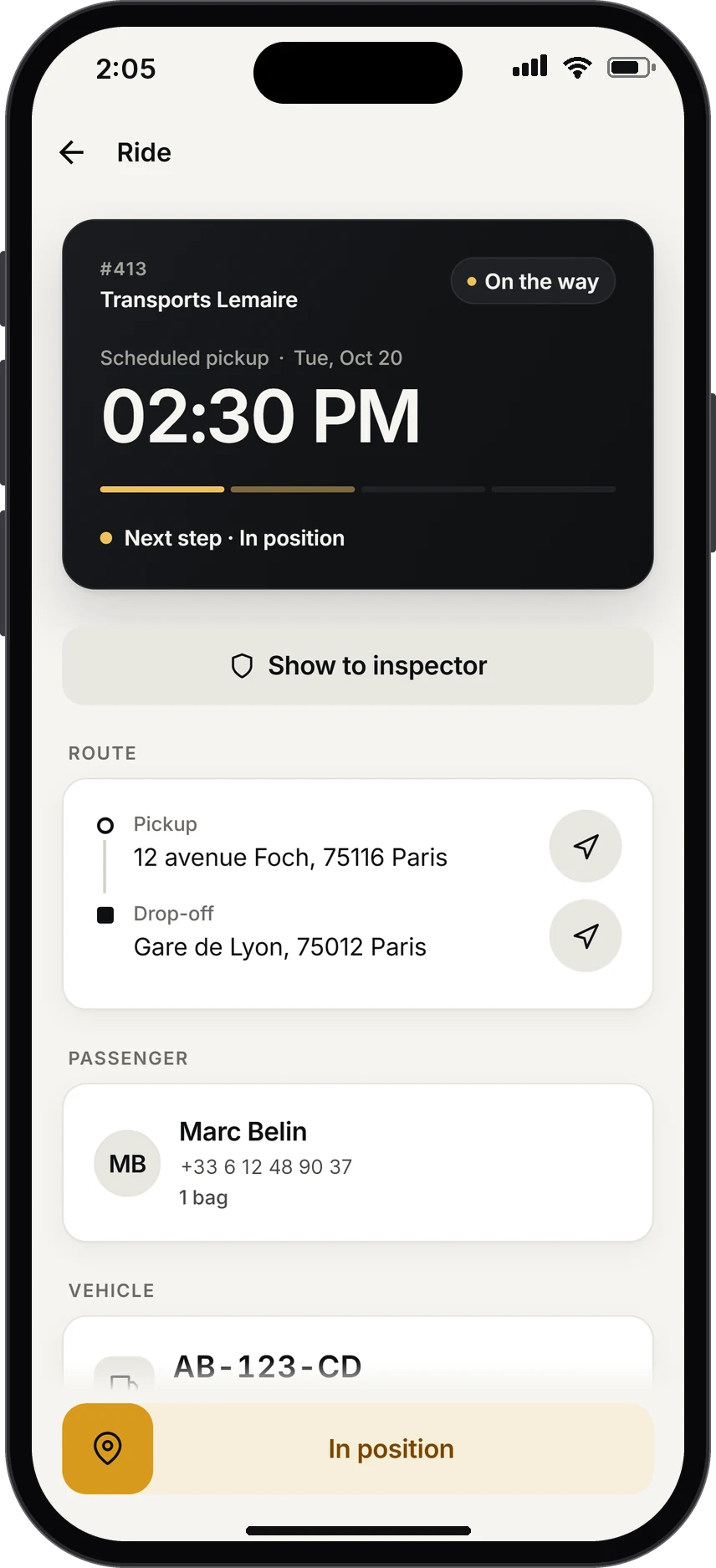
As soon as the app opens, the driver sees what matters, in large type: pickup time, time remaining, passenger and route. Flight running late? The alert is already there.

  • Call the passenger or start navigation in one tap
  • “I confirm”: the red badge disappears from your schedule
  • Today’s trips and a 30-day history
See how it works
Trip in progress: On the way confirmed, route, passenger, and the In position swipe button.

A recurring contract to follow

Keep sites, shift times, pickup points and operational contacts in a shared framework, with the exceptions for each service.

Compare completed rotations, absences and extra services with the agreement to prepare the customer's invoice.

Prepare the day

Review trips, availability and absences before assigning resources. See pickup times, vehicle capacity and the instructions needed for each service.

Share an approved schedule

Drivers see their own trips once the schedule is approved. Operations keeps the wider view, while permissions determine what each user can access.

Practical questions

How should we prepare the setup?

Prepare representative trips, your vehicle categories and team roles. Test the whole trip from inquiry and assignment to the driver’s trip and invoicing, then organize data migration and access.

Who can see the data?

Permissions define information access by role. Drivers see their own trips; access scopes for teams and partners are prepared with your organization’s managers.

How can I prepare invoices from completed trips?

Logipax connects completed services with customer details and agreed terms to help you prepare invoices and follow amounts due. See the workflow in a demonstration tailored to your operation.

Shuttles and regular services

Prepare your first working day

Features and quotas depend on the plan. Tax and regulatory requirements must be checked for your country; no local approval is implied.

Compare plans