
Logipax · Independent drivers
Independent drivers
You drive, answer customers and manage billing. Keep requests and documents together without needing an administrative team.
14 days free · No payment card · No setup fee
Inside your operation
Your office between trips
You drive, answer customers and manage billing. Keep requests and documents together without needing an administrative team.
Inside your operation · 01
Prepare the next booking
The assistant prepares details from a customer’s email. When safely parked, check the route, passenger and time before approving it. You decide the price and what you commit to deliver.
See how it works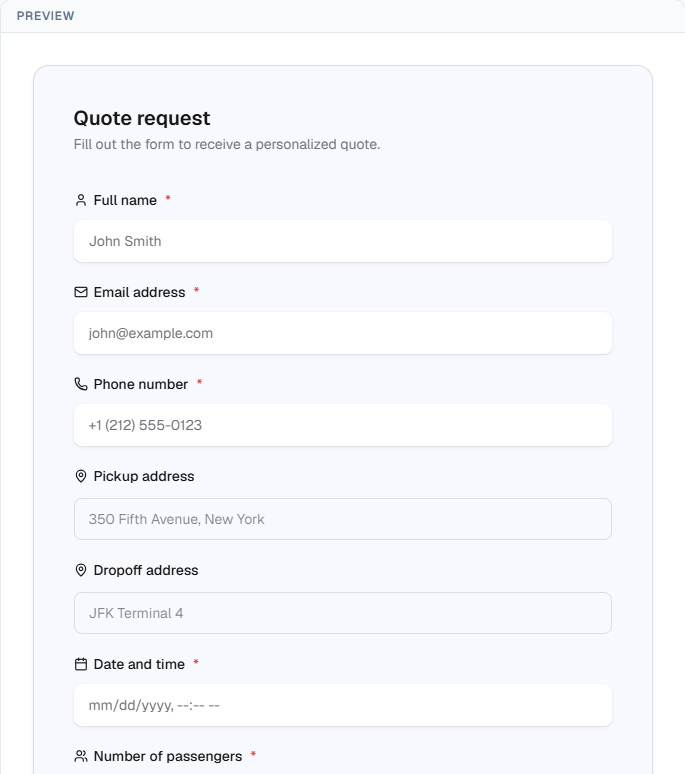
Inside your operation · 02
Find a partner when you are already booked
Publish a trip in the Logipax Community, review applications and choose your partner. Your customer’s contact details stay protected; the information needed to perform the service is shared when it is awarded.
See how it works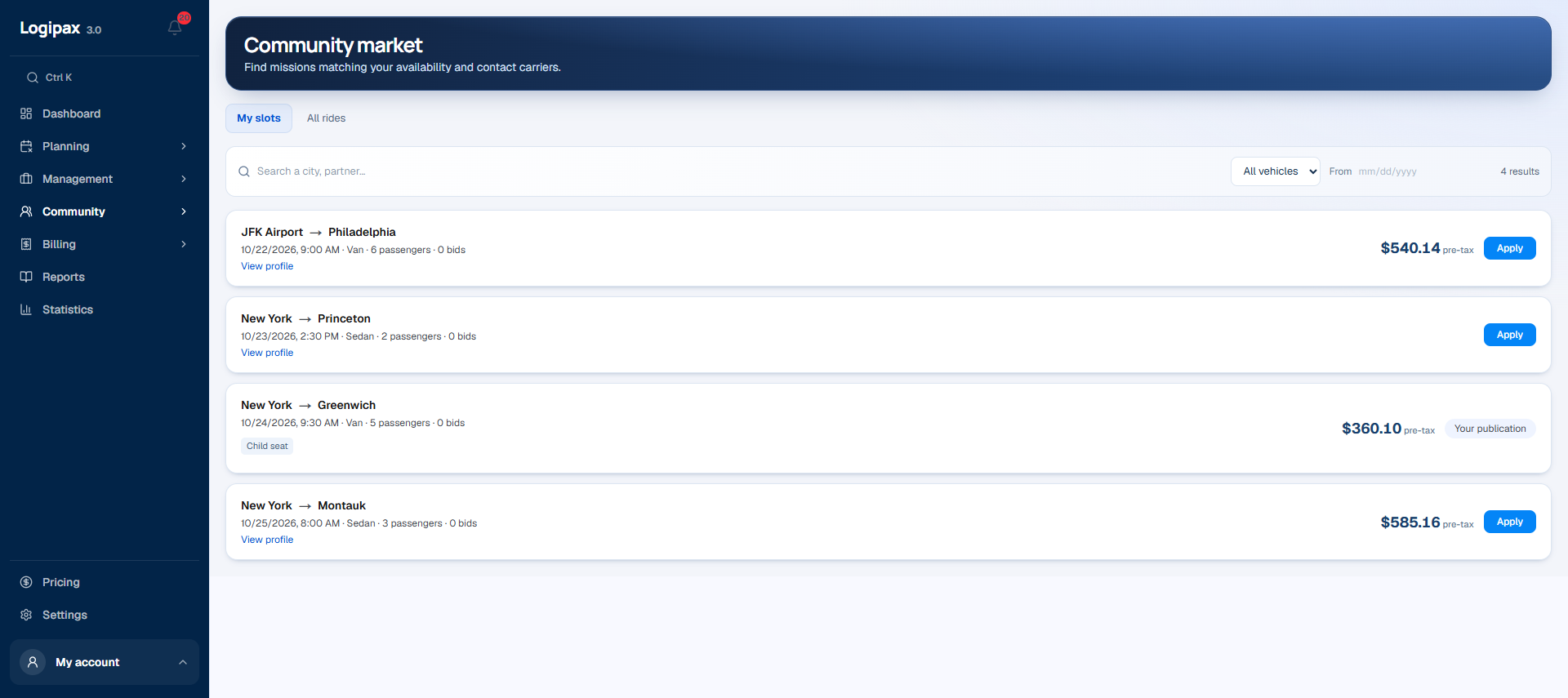
Inside your operation · 03
See which payments need attention
Review invoices and receivables by age to decide what to follow up. Services stay connected to customers so you can check the details before sending a document or preparing a reminder.
See how it works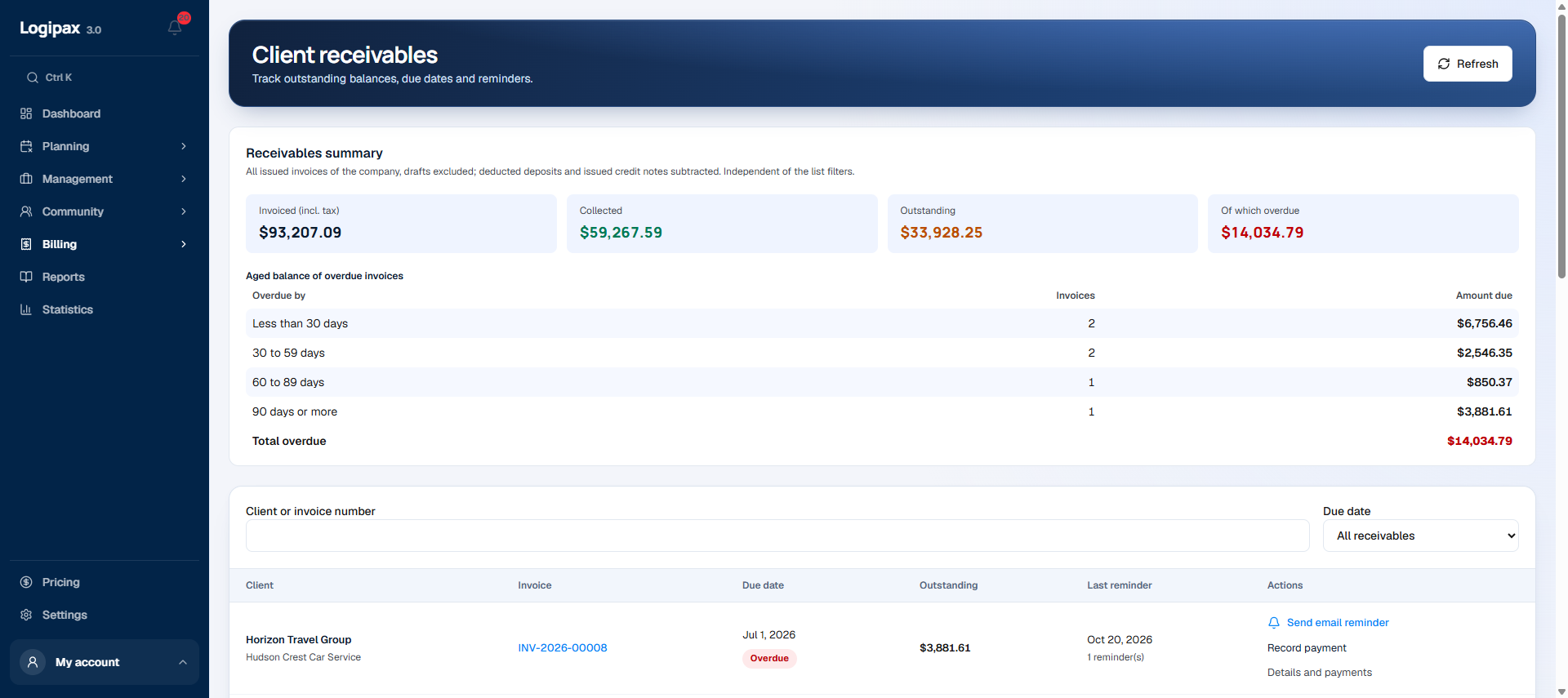
Driver app
The next trip comes first.
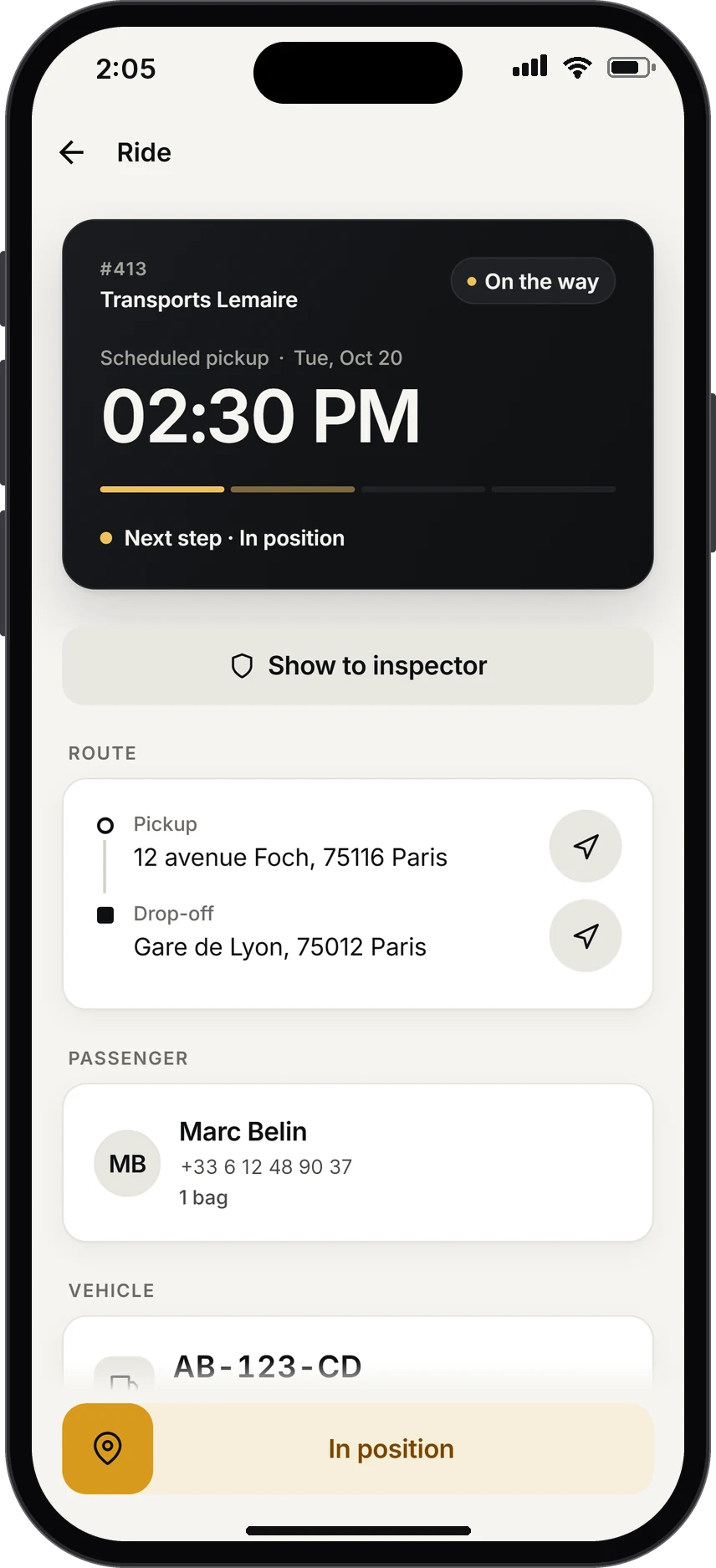
As soon as the app opens, the driver sees what matters, in large type: pickup time, time remaining, passenger and route. Flight running late? The alert is already there.
- Call the passenger or start navigation in one tap
- “I confirm”: the red badge disappears from your schedule
- Today’s trips and a 30-day history
Practical questions
How should we prepare the setup?
Prepare representative trips, your vehicle categories and team roles. Test the whole trip from inquiry and assignment to the driver’s trip and invoicing, then organize data migration and access.
Who can see the data?
Permissions define information access by role. Drivers see their own trips; access scopes for teams and partners are prepared with your organization’s managers.
Independent drivers
Prepare your first working day
Features and quotas depend on the plan. Tax and regulatory requirements must be checked for your country; no local approval is implied.
Compare plans